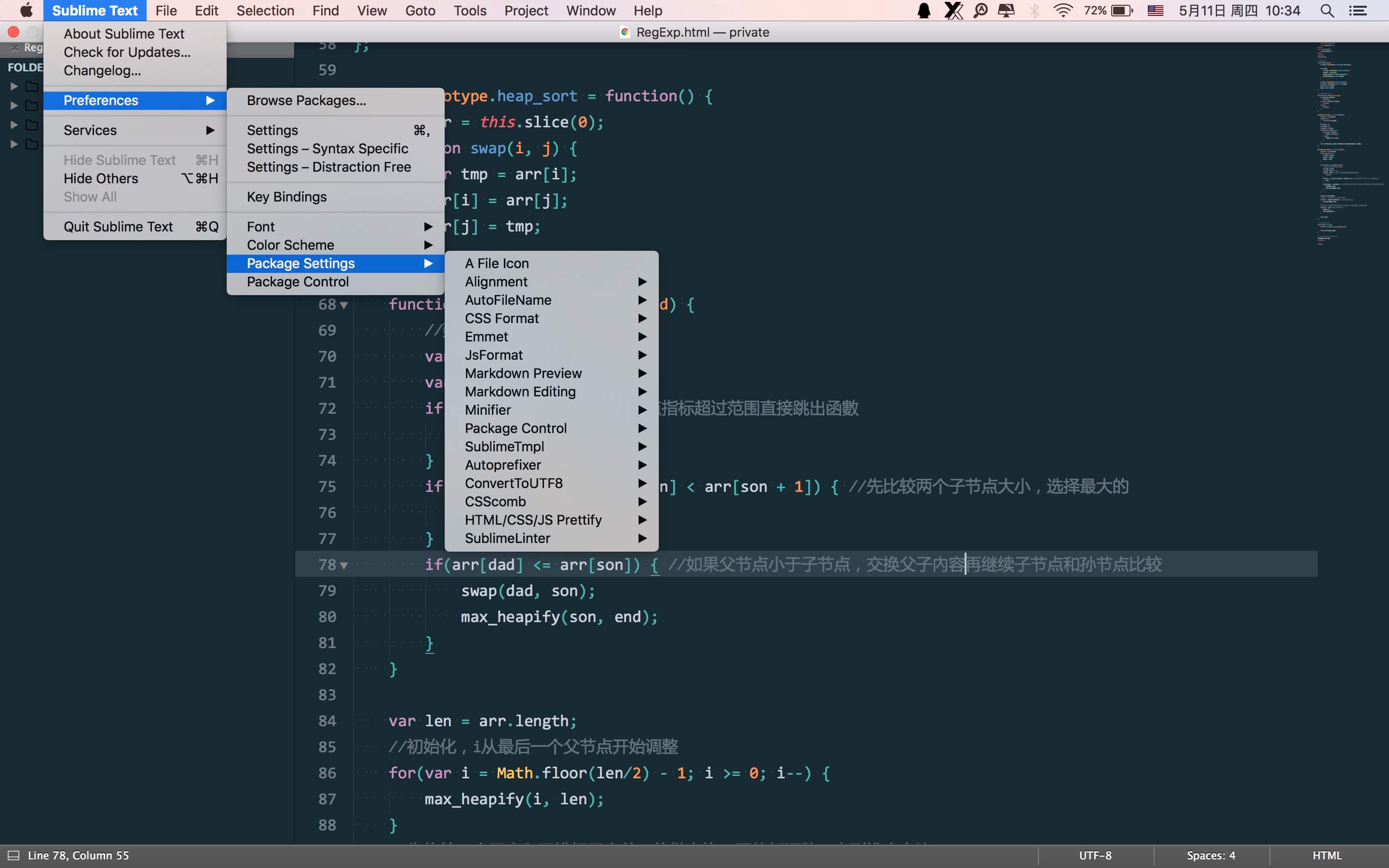
本文是安装和配置 Sublime Text 的流程,请按照顺序一步一步来

安装 Sublime Text

下载 Sublime Text:Download

安装 node.js

安装 Sublime 插件需要 node.js

  • Mac
1
2
# Install node.js
brew install node

安装 Package Control

快捷键 Ctrl+~ 调出控制台,执行如下代码:

S・T 3:

1
import urllib.request,os; pf = 'Package Control.sublime-package'; ipp = sublime.installed_packages_path(); urllib.request.install_opener( urllib.request.build_opener( urllib.request.ProxyHandler()) ); open(os.path.join(ipp, pf), 'wb').write(urllib.request.urlopen( 'http://sublime.wbond.net/' + pf.replace(' ','%20')).read())

S・T 2:

1
import urllib2,os; pf='Package Control.sublime-package'; ipp = sublime.installed_packages_path(); os.makedirs( ipp ) if not os.path.exists(ipp) else None; urllib2.install_opener( urllib2.build_opener( urllib2.ProxyHandler( ))); open( os.path.join( ipp, pf), 'wb' ).write( urllib2.urlopen( 'http://sublime.wbond.net/' +pf.replace( ' ','%20' )).read()); print( 'Please restart Sublime Text to finish installation')

自定义 SideBar

将文件 Default.sublime-theme 拷贝到目录:/Packages/User/

汉化(非必需)

将文件 Default.sublime-package 拷贝到目录:/Installed Packages/

安装字体

下载:Yahei Consolas Hybrid.ttf

这是我最喜欢的、编程用的等宽字体,中英文字体都支持。

安装插件

在用到的插件中,基本只需要配置同步插件 Package Syncing 就可以了,不需要一个一个去安装。

有两处例外:

  • SublimeLinter 相关插件需要在 Terminal 中通过 npm 安装,windows 需要在 C:/Users/Username 下创建一个目录 tidy/,并将 tidy.exe 程序文件拷贝到这个目录中;
  • Prettier 需要需要在 Terminal 中通过 npm 安装

Plugin

Package Control:

安装插件时,如果提示:There are no packages available for installation
可能原因:网络问题(需科学上网)、插件服务器不能访问
可以打开 Preferences > Package Settings > Install Package > Settings-User 并添加以下内容:

1
2
3
4
"channels":
[
"https://raw.githubusercontent.com/wilon/sublime/master/download/channel_v3.json"
]

sublime 配置同步 插件(跨平台)

1
Package Syncing

安装好插件后,先在本机创建要同步的文件:

  • 第一步,建一个用于同步的文件夹,将该文件夹与你的百度网盘等同步(另一台电脑可以实时获取到同步文件);

  • 第二步,⌘ + ⇧ + P 打开命令行输入package Syncing,选择Define Sync Folder

  • 第三步,将之前创建的文件夹路径拷贝过来,确定之后需要同步的文件就创建到之前建的文件夹里面了。
    另一台电脑同步

  • 第一步, 安装Package Control,然后安装该插件;

  • 第二步,同上面第一步,等待文件同步到本地,如果没有设置同步网盘,将文件直接拷贝过来;

  • 第三步,同上面第二步;

  • 第四步,同上面第三步,只是会有一个询问框,确认就可以了;

  • 最后,重启 sublime。

    说明:这个同步不会直接拷贝安装好的插件文件,而是记录它们,因为不同平台的对应插件或版本不同,兼容性会出现问题;它会在不同平台重新安装该平台对应的正确的插件。有了这个插件,以后换电脑再也不用重头开始配置 sublime 了,好嗨森~
    插件 Doc: https://packagecontrol.io/packages/Package%20Syncing

Markdown 语法高亮的插件:

1
Markdown Extended

并依次点击:右下角文档格式 > Open all with current extention as… > Markdown Extended

主题插件:

1
Material Theme

安装好之后(安装时间一般比较长),在文档中依此点 右键 > Material Theme > Activate 启用

javascript 自动提示插件:

1
JavaScript Completions

安装之后重启 sublime。

SublimeLinter 插件:

1
2
3
4
5
SublimeLinter
SublimeLinter-jshint
SublimeLinter-csslint
SublimeLinter-contrib-htmlhint #not working now, can be instead by SublimeLinter-html-tidy
SublimeLinter-html-tidy

ST3 开始 SublimeLinter 只是一个框架,并没有实际的检查验证功能。需要单独安装,如上面的 js 验证插件SublimeLinter-jshint、css 验证插件SublimeLinter-csslint和 html 验证插件SublimeLinter-contrib-htmlhint
插件安装之后,打开命令行工具(Terminal)全局安装相应的功能包:

1
2
3
npm install -g jshint
npm install -g csslint
npm install -g htmlhint@latest

参数设置(Preferences → Package Settings → SublimeLinter → Settings - user):

1
2
3
4
5
6
7
8
9
10
11
12
13
14
15
16
17
{
"user": {
"lint_mode": "load/save",
"linters": {
"csslint": {
"@disable": false,
"args": [
"--ignore=order-alphabetical,ids,box-model,font-sizes"
],
"errors": "",
"excludes": [],
"ignore": "",
"warnings": ""
}
}
}
}

lint_mode: lint 模式-加载/保存文件时执行 lint 检查;
@disable: false-启用 csslint,true-关闭 csslint;
csslint 的调用参数传入--ignore关闭几个开关:

  1. order-alphabetical:样式属性必须按照名称顺序排列
  2. ids:不允许用 id 作为选择器(即选择器以 # 打头)
  3. box-model:盒模型的警告
  4. font-sizes:使用太多 font-size 属性的警告

JsPrettier

  1. Install Prettier

    1
    2
    3
    4
    5
    # npm (local):
    npm install --save-dev prettier

    # npm (global):
    npm install -g csslint
  2. Install JsPrettier via Package Control

    1
    JsPrettier

插件 Doc

js 压缩插件:

需要先安装 java

1
YUI Compressor

YUI Compressor 是来自雅虎(Yahoo)前端技术团队研发的一种压缩 CSS、JS 的技术。这种技术不是简单的去除空格和换行符,尤其是在 javascript 里尤为明显,它是把同名函数替换为简单的函数名比如“a、b、c、d”等,这种压缩后的代码不具有可读性,但对资源的加载很重要,因为它很可观的减小了资源的体积。

该插件的配置选项无法在菜单里找到,需要在插件文件夹下面找到配置文件来修改。
修改配置文件换行参数:"--line-break", "-1",-1 为不换行。

使用:安装完之后,在编辑器里打开 JS、CSS 文件,按 F7(Mac 为Command+b)即会压缩当前文件(a.js),压缩后的文件(a.min.js)保存在该文件的同级目录。

自定义样式

1
2
3
4
5
6
7
8
9
10
11
12
13
14
15
16
17
18
19
20
21
22
23
24
25
26
27
28
29
30
31
32
33
34
35
36
37
38
39
40
{
"auto_complete_triggers": [
{
"characters": "qazwsxedcrfvtgbyhnujmikolpQAZWSXEDCRFVTGBYHNUJMIKOLP",
"selector": "text, source, meta, string, punctuation, constant"
}
],
"bold_folder_labels": true,
"caret_style": "phase",
"color_scheme": "Packages/Material Theme/schemes/Material-Theme.tmTheme",
"default_line_ending": "unix",
"dictionary": "Packages/Language - English/en_US.dic",
// "draw_white_space": "all",
// "ensure_newline_at_eof_on_save": true,
"fade_fold_buttons": false,
"fold_buttons": true,
"font_face": "YaHei Consolas Hybrid",
"font_size": 15,
"highlight_line": true,
"highlight_modified_tabs": true,
"ignored_packages": ["Vintage"],
"line_padding_bottom": 2,
"line_padding_top": 2,
"margin": 0,
"open_files_in_new_window": false,
"remember_full_screen": true,
"show_definitions": false,
"show_encoding": true,
"show_panel_on_build": false,
"show_tab_close_buttons": false,
"tab_size": 4,
"theme": "Material-Theme.sublime-theme",
"translate_tabs_to_spaces": true,
"trim_trailing_white_space_on_save": true,
"wide_caret": true,
"word_wrap": true,
"find_selected_text": false,
"show_git_status": false,
"scroll_past_end": true
}

自定义热键

1
2
3
4
5
6
7
8
9
10
11
12
13
14
15
16
17
18
19
20
21
22
23
24
25
26
27
28
29
30
31
32
33
34
35
36
37
38
39
40
41
42
[
{
"keys": ["command+shift+x"],
"command": "expand_selection",
"args": { "to": "tag" }
},
{ "keys": ["option+/"], "command": "open_in_browser" },
{
"keys": ["option+m"],
"command": "markdown_preview",
"args": { "target": "browser", "parser": "markdown" }
},

//depend on Plugin-[CSS Format]
{
"keys": ["option+["],
"command": "css_format",
"args": { "action": "compact-ns" }
},
{
"keys": ["option+]"],
"command": "css_format",
"args": { "action": "expand" }
},
{
"keys": ["option+\\"],
"command": "css_format",
"args": { "action": "compress" }
},

{ "keys": ["command+alt+x"], "command": "autoprefixer" },

{ "keys": ["command+alt+a"], "command": "alignment" },

//build javascript template file
{
"keys": ["ctrl+alt+j"],
"command": "sublime_tmpl",
"args": { "type": "js" },
"context": { "key": "sublime_tmpl.js" }
}
]

utf-8 热键

进入目录【/Packages/ConvertToUTF8/】下找到对应操作系统的 Default.sublime-keymap 文件,设置快捷键

1
2
3
4
5
6
7
8
9
10
11
12
[
{
"keys": ["super+shift+c"],
"command": "convert_to_utf8",
"args": { "encoding": "GBK", "stamp": "0" }
},
{
"keys": ["super+shift+g"],
"command": "convert_to_utf8",
"args": { "encoding": "UTF-8", "stamp": "0" }
}
]

Autoprefixer 设置:

1
2
3
4
5
{
"browsers": ["last 7 versions"],
// 保存时自动添加前缀
"prefixOnSave": true
}

其它

插件:CSScomb > Settings-User

1
2
3
4
5
6
7
8
9
10
11
12
13
14
15
16
17
18
19
20
21
22
23
24
25
26
27
28
29
30
31
32
33
34
35
36
37
38
39
40
41
42
43
44
45
46
47
48
49
50
51
52
53
54
55
56
57
58
59
60
61
62
63
64
65
66
67
68
69
70
71
72
73
74
75
76
77
78
79
80
81
82
83
84
85
86
87
88
89
90
91
92
93
94
95
96
97
98
99
100
101
102
103
104
105
106
107
108
109
110
111
112
113
114
115
116
117
118
119
120
121
122
123
124
125
126
127
128
129
130
131
132
133
134
135
136
137
138
139
140
141
142
143
144
145
146
147
148
149
150
151
152
153
154
155
156
157
158
159
160
161
162
163
164
165
166
167
168
169
170
171
172
173
174
175
176
177
178
179
180
181
182
183
184
185
186
187
188
189
190
191
192
193
194
195
196
197
198
199
200
201
202
203
204
205
206
207
208
209
210
211
212
213
214
215
216
217
218
219
220
221
222
223
224
225
226
227
228
229
230
231
232
233
234
235
236
237
238
239
240
241
242
243
244
245
246
247
248
249
250
251
252
253
254
255
256
257
258
259
260
261
262
263
264
265
266
267
268
269
270
271
272
273
274
275
276
277
278
279
280
281
282
283
284
285
286
287
288
289
290
291
292
293
294
295
296
297
298
299
300
301
302
303
304
305
306
307
308
309
{
// Full list of supported options and acceptable values can be found here:
// https://github.com/csscomb/csscomb.js/blob/master/doc/options.md
"config": {
// Sort properties in particular order.
"sort-order": [
[
"content",
"display",
"position",
"-webkit-box-sizing",
"-moz-box-sizing",
"box-sizing",
"width",
"min-width",
"max-width",
"height",
"min-height",
"max-height",
"float",
"top",
"right",
"bottom",
"left"
],
[
"margin",
"margin-top",
"margin-right",
"margin-bottom",
"margin-left",
"padding",
"padding-top",
"padding-right",
"padding-bottom",
"padding-left"
],
[
"border",
"border-width",
"border-style",
"border-color",
"border-top",
"border-top-width",
"border-top-style",
"border-top-color",
"border-right",
"border-right-width",
"border-right-style",
"border-right-color",
"border-bottom",
"border-bottom-width",
"border-bottom-style",
"border-bottom-color",
"border-left",
"border-left-width",
"border-left-style",
"border-left-color",
"-webkit-border-radius",
"-moz-border-radius",
"border-radius",
"-webkit-border-top-left-radius",
"-moz-border-radius-topleft",
"border-top-left-radius",
"-webkit-border-top-right-radius",
"-moz-border-radius-topright",
"border-top-right-radius",
"-webkit-border-bottom-right-radius",
"-moz-border-radius-bottomright",
"border-bottom-right-radius",
"-webkit-border-bottom-left-radius",
"-moz-border-radius-bottomleft",
"border-bottom-left-radius",
"-ms-interpolation-mode",
"-webkit-border-image",
"-moz-border-image",
"-o-border-image",
"border-image",
"-webkit-border-image-source",
"-moz-border-image-source",
"-o-border-image-source",
"border-image-source",
"-webkit-border-image-slice",
"-moz-border-image-slice",
"-o-border-image-slice",
"border-image-slice",
"-webkit-border-image-width",
"-moz-border-image-width",
"-o-border-image-width",
"border-image-width",
"-webkit-border-image-outset",
"-moz-border-image-outset",
"-o-border-image-outset",
"border-image-outset",
"-webkit-border-image-repeat",
"-moz-border-image-repeat",
"-o-border-image-repeat",
"border-image-repeat"
],
[
"background",
"filter:progid:DXImageTransform.Microsoft.AlphaImageLoader",
"background-color",
"background-image",
"background-repeat",
"background-attachment",
"background-position",
"background-position-x",
"-ms-background-position-x",
"background-position-y",
"-ms-background-position-y",
"-webkit-background-clip",
"-moz-background-clip",
"background-clip",
"background-origin",
"-webkit-background-size",
"-moz-background-size",
"-o-background-size",
"background-size",
"box-decoration-break",
"-webkit-box-shadow",
"-moz-box-shadow",
"box-shadow",
"filter:progid:DXImageTransform.Microsoft.gradient",
"-ms-filter:\\'progid:DXImageTransform.Microsoft.gradient"
],
[
"table-layout",
"empty-cells",
"caption-side",
"border-spacing",
"border-collapse",
"list-style",
"list-style-position",
"list-style-type",
"list-style-image"
],
[
"font",
"font-size",
"font-family",
"line-height",
"color",
"font-weight",
"font-style",
"font-variant",
"font-size-adjust",
"font-stretch",
"font-effect",
"font-emphasize",
"font-emphasize-position",
"font-emphasize-style",
"font-smooth",
"text-align",
"-webkit-text-align-last",
"-moz-text-align-last",
"-ms-text-align-last",
"text-align-last",
"vertical-align",
"white-space",
"text-decoration",
"text-emphasis",
"text-emphasis-color",
"text-emphasis-style",
"text-emphasis-position",
"text-indent",
"-ms-text-justify",
"text-justify",
"letter-spacing",
"word-spacing",
"-ms-writing-mode",
"text-outline",
"text-transform",
"outline",
"outline-width",
"outline-style",
"outline-color",
"outline-offset",
"text-shadow",
"text-wrap",
"text-overflow",
"-ms-text-overflow",
"text-overflow-ellipsis",
"text-overflow-mode",
"-ms-word-wrap",
"word-wrap",
"word-break",
"-ms-word-break",
"-moz-tab-size",
"-o-tab-size",
"tab-size",
"-webkit-hyphens",
"-moz-hyphens",
"hyphens",
"pointer-events"
],
[
"visibility",
"clear",
"clip",
"flex-direction",
"flex-order",
"flex-pack",
"flex-align",
"opacity",
"filter:progid:DXImageTransform.Microsoft.Alpha(Opacity",
"-ms-filter:\\'progid:DXImageTransform.Microsoft.Alpha",
"cursor",
"overflow",
"overflow-x",
"overflow-y",
"-ms-overflow-x",
"-ms-overflow-y",
"z-index",
"zoom"
],
[
"quotes",
"counter-reset",
"counter-increment",
"resize",
"-webkit-user-select",
"-moz-user-select",
"-ms-user-select",
"user-select",
"nav-index",
"nav-up",
"nav-right",
"nav-down",
"nav-left",
"-webkit-transition",
"-moz-transition",
"-ms-transition",
"-o-transition",
"transition",
"-webkit-transition-delay",
"-moz-transition-delay",
"-ms-transition-delay",
"-o-transition-delay",
"transition-delay",
"-webkit-transition-timing-function",
"-moz-transition-timing-function",
"-ms-transition-timing-function",
"-o-transition-timing-function",
"transition-timing-function",
"-webkit-transition-duration",
"-moz-transition-duration",
"-ms-transition-duration",
"-o-transition-duration",
"transition-duration",
"-webkit-transition-property",
"-moz-transition-property",
"-ms-transition-property",
"-o-transition-property",
"transition-property",
"-webkit-transform",
"-moz-transform",
"-ms-transform",
"-o-transform",
"transform",
"-webkit-transform-origin",
"-moz-transform-origin",
"-ms-transform-origin",
"-o-transform-origin",
"transform-origin",
"-webkit-animation",
"-moz-animation",
"-ms-animation",
"-o-animation",
"animation",
"-webkit-animation-name",
"-moz-animation-name",
"-ms-animation-name",
"-o-animation-name",
"animation-name",
"-webkit-animation-duration",
"-moz-animation-duration",
"-ms-animation-duration",
"-o-animation-duration",
"animation-duration",
"-webkit-animation-play-state",
"-moz-animation-play-state",
"-ms-animation-play-state",
"-o-animation-play-state",
"animation-play-state",
"-webkit-animation-timing-function",
"-moz-animation-timing-function",
"-ms-animation-timing-function",
"-o-animation-timing-function",
"animation-timing-function",
"-webkit-animation-delay",
"-moz-animation-delay",
"-ms-animation-delay",
"-o-animation-delay",
"animation-delay",
"-webkit-animation-iteration-count",
"-moz-animation-iteration-count",
"-ms-animation-iteration-count",
"-o-animation-iteration-count",
"animation-iteration-count",
"-webkit-animation-direction",
"-moz-animation-direction",
"-ms-animation-direction",
"-o-animation-direction",
"animation-direction"
]
]
}
}

插件:SublimeLinter > Settings

1
2
3
4
5
6
7
8
9
10
11
12
13
14
15
16
17
18
19
20
21
22
23
24
25
26
27
28
29
30
31
32
33
34
35
36
37
38
39
40
41
42
43
44
45
46
// 配置参考:http://www.cnblogs.com/xiaohuochai/p/6914830.html
// SublimeLinter Settings - User
{
"debug": false,
"delay": 0.25,
"lint_mode": "load_save",
"linters": {
"csslint": {
"@disable": false,
"args": [
"--ignore=order-alphabetical,ids,box-model,font-sizes,qualified-headings,unique-headings,duplicate-background-images"
],
"errors": "",
"excludes": [],
"ignore": "",
"warnings": ""
},
"htmlhint": {
"@disable": false,
"args": [],
"excludes": []
},
"jshint": {
"@disable": false,
"args": [],
"excludes": []
}
},
"no_column_highlights_line": false,
"paths": {
"linux": [],
"osx": [],
"windows": []
},
"show_marks_in_minimap": true,
"syntax_map": {
"html (django)": "html",
"html (rails)": "html",
"html 5": "html",
"javascript (babel)": "javascript",
"magicpython": "python",
"php": "html",
"python django": "python",
"pythonimproved": "python"
}
}